

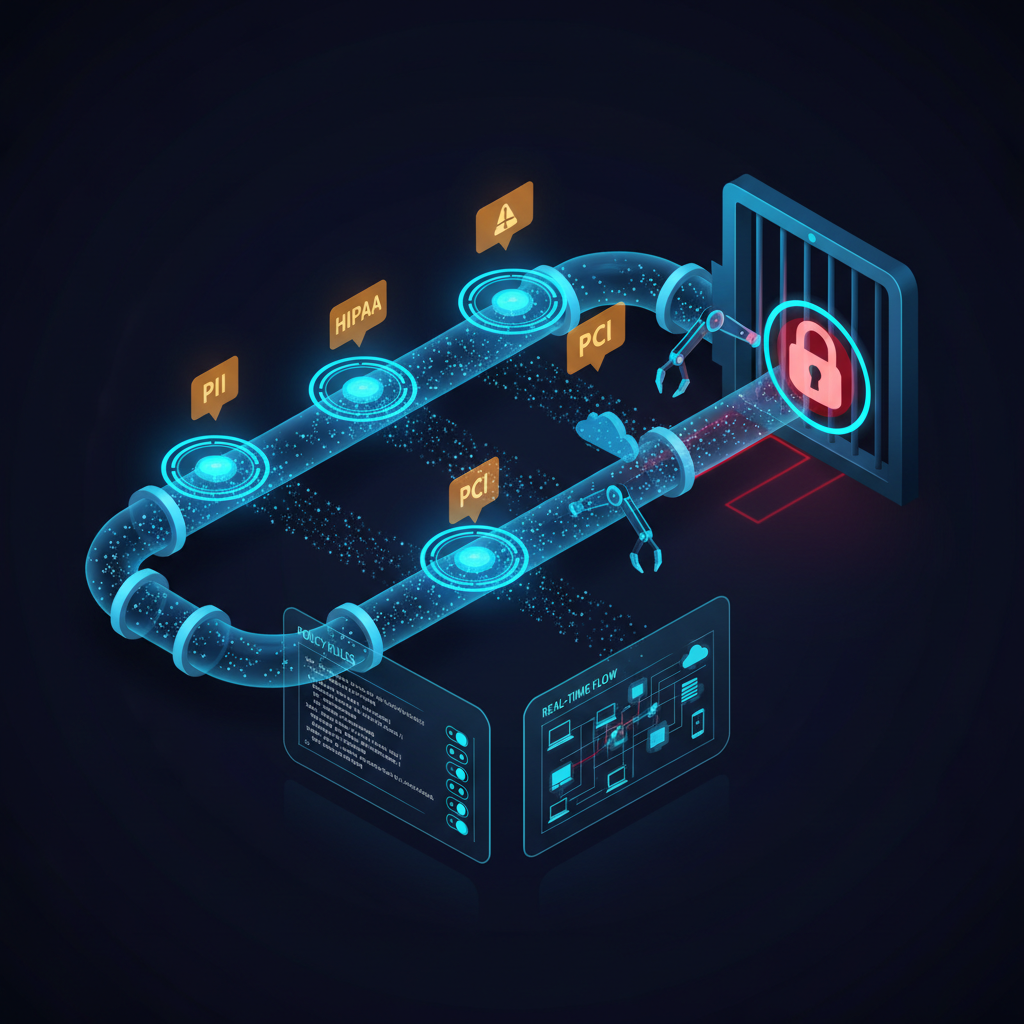
The Problem DLP Software Actually Solves
IBM's 2026 Cost of a Data Breach report put the average breach cost at $4.88 million. Roughly 40% of those incidents trace back to insiders — accidental misconfigurations, deliberate exfiltration, or the classic scenario where an employee emails a sensitive spreadsheet to a personal account. Perimeter firewalls do not stop that. SIEMs alert on it after the fact. DLP software is the control that sits in the middle of the data flow and makes a decision before the file leaves the building.
That sounds simple. It is not. A DLP deployment done poorly generates so many false positives that security teams disable policies within weeks. Done well, it becomes one of the highest-signal controls in your stack — catching credential dumps heading to Pastebin, PII being pasted into a ChatGPT prompt, and HIPAA-covered records attached to a personal webmail session.
This guide breaks down what DLP is, how the major deployment modes differ, what Microsoft Purview Data Loss Prevention offers, and how to evaluate DLP tools without getting distracted by vendor marketing.
What Is DLP? A Precise Definition
Data Loss Prevention — DLP — refers to a category of security controls that identify, monitor, and protect sensitive data in use, in motion, and at rest. The three states matter:
- Data in use: content being actively accessed on an endpoint — clipboard operations, screen captures, USB transfers.
- Data in motion: content traversing the network — email, web uploads, API calls, SaaS sync operations.
- Data at rest: content stored in file shares, databases, cloud storage buckets, or endpoint drives that should not be there.
A DLP tool intercepts data at one or more of these states, applies classification logic, and then either logs the event, alerts a security analyst, blocks the transfer, or triggers an automated remediation workflow. The classification logic is where vendors differentiate — regex-based pattern matching for credit card numbers is table stakes; ML-based fingerprinting of proprietary documents is where enterprise tools compete.
For teams just starting to map their data landscape, pairing DLP with a solid Cloud Inventory capability helps surface unclassified data stores before you even write your first DLP policy.
Network DLP vs. Endpoint DLP vs. Cloud DLP
Vendors carve up the DLP market into three primary deployment architectures. Most enterprise deployments use at least two of them.
Network DLP
Network DLP inspects traffic inline — typically sitting between internal users and the internet, or between segments of your internal network. It proxies TLS sessions, reconstructs file transfers, and applies policy. The advantage is coverage without touching every endpoint. The limitation is that you are blind to transfers that never leave the endpoint such as local USB writes and air-gapped prints, and encrypted channels you cannot intercept.
Network DLP is the right first layer for organizations with large, heterogeneous device estates where pushing agents is not feasible. Legacy OT environments are a classic example — you can monitor north-south traffic without touching PLCs that run outdated operating systems.
Endpoint DLP
Endpoint DLP agents run on managed devices and intercept operations at the OS kernel level — copy-paste, application uploads, print operations, USB writes. The coverage is granular. The operational overhead is real: agents must be kept current, they generate policy conflicts with EDR tools, and they create user friction when policies are misconfigured.
The key advantage endpoint DLP has over network DLP is visibility into encrypted application traffic. A network DLP proxy can inspect a file upload to a known SaaS endpoint, but an endpoint agent sees exactly which file was dragged into the browser upload dialog regardless of TLS encryption.
Cloud DLP
Cloud DLP integrates directly with SaaS platforms and cloud storage services via APIs — Google Drive, Microsoft 365, Salesforce, Slack, AWS S3. It scans content at rest in those environments and can retroactively classify and remediate. This is increasingly the most important tier as organizations shift workloads off-premises. Cloud DLP will find the PII that has been sitting in a publicly accessible storage bucket for months.
A mature DLP strategy pairs cloud DLP with your broader Cloud Security posture work — misconfigured storage buckets and overly permissive sharing settings are DLP failures as much as they are configuration failures.
Microsoft Purview Data Loss Prevention: What It Actually Does
Microsoft Purview Data Loss Prevention is the incumbent solution for organizations already running Microsoft 365. It is tightly integrated into Exchange Online, SharePoint, OneDrive, Teams, and with the Purview Information Protection client on Windows endpoints. That tight integration is its biggest strength and its biggest weakness.
On the strength side: if your sensitive data lives in Microsoft 365, Purview DLP can classify it using Microsoft built-in sensitive information types, custom regex patterns, exact data match for structured datasets, and trainable classifiers built on ML. Policies can block external sharing in SharePoint, prevent Teams messages from containing credit card numbers, and generate compliance alerts that feed directly into Microsoft Sentinel.
On the weakness side: coverage outside the Microsoft ecosystem is shallow. The Purview endpoint DLP agent covers Chrome and Edge browsers well, but Firefox coverage is partial, and non-browser application monitoring requires additional configuration. If your environment runs heavy Linux workloads, non-Microsoft SaaS, or custom internal applications, you will hit gaps quickly.
Data loss prevention in Microsoft environments also benefits from being paired with broader Microsoft Defender controls — something covered in the Microsoft Defender resource on the SECRAILS platform.
Microsoft Purview DLP Policy Configuration: What to Get Right
The most common Purview DLP deployment mistake is deploying policies in audit-only mode and never moving to enforcement. Audit mode is a valid starting point for tuning, but leaving it there indefinitely is the DLP equivalent of a smoke detector with no battery. Set a deadline — typically 60 to 90 days for a new policy — and build in a process for reviewing audit logs weekly, refining exclusions, and graduating to block mode.
A second common failure is over-relying on built-in sensitive information types without customizing confidence levels. Purview built-in patterns have high-confidence defaults, but in many enterprise environments, internal employee ID formats generate matches at medium confidence. That noise drowns out real signals. Tune confidence thresholds per policy, per environment.
Evaluating DLP Tools: A Technical Scorecard
When comparing DLP software options, the marketing messaging is nearly identical across vendors. Here is what to actually test:
Classification Accuracy
Run a structured proof of concept with synthetic datasets containing known PII, financial data, health records, and intellectual property. Measure false positive rate and false negative rate separately. A tool with 2% false positives sounds acceptable until you realize that means 2,000 false alerts per day in a large enterprise — which destroys analyst bandwidth. A false negative rate above 5% for high-confidence patterns means your exfiltration detection is unreliable.
Encrypted Traffic Handling
Most data exfiltration happens over HTTPS. Test whether the network DLP component can inspect TLS 1.3 sessions — not just TLS 1.2. Many legacy network DLP appliances still cannot do TLS 1.3 decryption, which means they are effectively blind to a large portion of web traffic as of 2026.
Cloud and SaaS Coverage Breadth
Map your actual SaaS estate before evaluating tools. An organization running 150 SaaS applications — a realistic mid-enterprise number — needs a DLP tool that covers at minimum the top 20 to 30 by data volume. Ask vendors for specific API integration documentation, not just a logo grid.
Integration with SIEM and SOAR
DLP alerts that do not flow into your detection and response workflow are noise. Confirm that DLP events publish to your SIEM in a structured format and that policy violations can trigger SOAR playbooks for automated response including quarantine, user notification, and manager escalation.
Performance Impact on Endpoints
Endpoint DLP agents that spike CPU during file scans generate IT helpdesk tickets and pressure to disable policies. Request resource utilization benchmarks from vendors under realistic workloads and measure it yourself during proof of concept on representative hardware.
DLP and Regulatory Compliance: Mapping to Frameworks
DLP software is not a compliance checkbox — but it is a critical control for several regulatory regimes:
- GDPR: Article 32 requires appropriate technical measures to protect personal data. DLP policies that prevent unauthorized exfiltration of EU resident data are a demonstrable control.
- HIPAA: The Security Rule technical safeguard requirements map directly to endpoint and network DLP controls, particularly around PHI exfiltration prevention and audit logging.
- PCI DSS v4.0: Requirement 12.3 mandates controls over cardholder data flows. DLP policies enforcing that PANs cannot be emailed in cleartext or uploaded to unapproved systems satisfy multiple sub-requirements.
- NIS2: Organizations in scope for NIS2 need to demonstrate technical controls over sensitive operational data. DLP evidence packages feed directly into NIS2 compliance documentation.
The Compliance solutions at SECRAILS are built to integrate DLP evidence alongside cloud configuration and vulnerability findings for unified audit readiness.
Where DLP Fits in a Broader Security Stack
DLP does not operate in isolation. Effective data protection programs treat DLP as one layer in a defense-in-depth architecture that includes several complementary controls.
Secrets detection at code commit time. Developers who accidentally commit API keys, database credentials, or private keys to source code create data exposure risks that DLP on the network will not catch. Secret Detection in the CI/CD pipeline addresses this vector before credentials are ever deployed.
CSPM for cloud data store visibility. A DLP tool cannot protect data it does not know exists. CSPM continuously audits cloud configurations and flags publicly exposed storage, overly permissive IAM policies, and unencrypted data stores — the preconditions for data loss events that DLP policies are designed to prevent.
Vulnerability management for DLP infrastructure itself. DLP agents, proxies, and consoles are software with CVEs. The same Vulnerability Management discipline you apply to production workloads needs to cover DLP infrastructure — a compromised DLP console is a direct path to disabling all your controls.
Policy-as-Code for DLP rule governance. Manually managed DLP policies drift over time. Encoding policy definitions as version-controlled configurations using a Policy-as-Code approach ensures that DLP rules go through change management, are reviewed for conflicts, and are consistently deployed across environments.
Common DLP Deployment Failures and How to Avoid Them
The single biggest DLP failure mode is not technical — it is organizational. Security teams deploy DLP without getting business units to define what is actually sensitive. Legal, HR, Finance, and Engineering all have different data types with different risk profiles. A DLP policy built entirely by the security team, without input from data owners, will either be too broad or too narrow.
Run data classification workshops before writing policies. Get data owners to sign off on sensitivity tiers. Build your DLP rule set against agreed-upon definitions, not security team assumptions.
The second failure mode is treating DLP as a point product rather than a program. DLP policies need quarterly reviews — the data landscape changes, new SaaS tools get adopted, regulations update. Build a DLP governance cadence into your security operations calendar the same way you schedule vulnerability scan reviews.
DLP Software Vendor Landscape in 2026
The market has consolidated significantly. Microsoft Purview dominates Microsoft-centric environments. Broadcom Symantec DLP remains in large enterprises with complex multi-vector requirements. Forcepoint DLP is competitive for government and defense sectors with its behavioral analytics depth. Zscaler and Netskope lead the cloud-native, SSE-integrated DLP space — increasingly the right architecture for organizations running zero-trust network access.
For organizations building a security program from scratch in 2026, the SSE-integrated DLP approach — where DLP is a feature of your secure access service edge platform rather than a separate product — is increasingly the architecturally correct choice. It eliminates the endpoint agent proliferation problem and provides unified visibility across cloud and network traffic.
Whatever tooling you evaluate, the team at SECRAILS recommends anchoring vendor selection in documented data flows, defined sensitivity tiers, and measurable detection accuracy — not vendor keynote demos.