

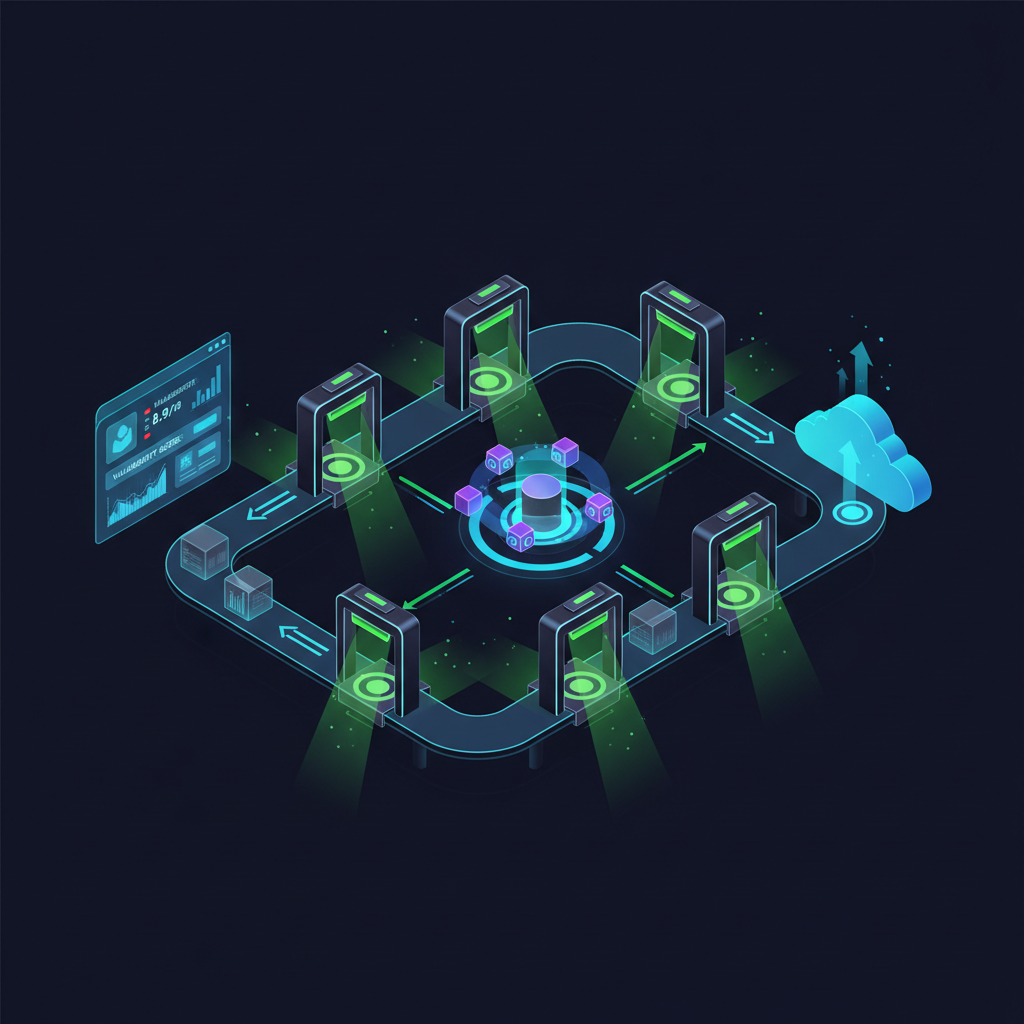
Seventy percent of vulnerabilities found in production could have been caught during development. That single statistic — from Gartner's analysis of application security posture — is the entire business case for the DevSecOps pipeline. Yet most engineering teams still treat security as a gate at the end of the delivery process rather than a thread woven through every stage.
This post lays out a concrete DevSecOps pipeline diagram, walks each stage, names the tools worth using, and gives you a GitHub Actions example you can actually adapt. No theory-only fluff.
What a DevSecOps Pipeline Actually Looks Like
At its core, a DevSecOps pipeline is a CI/CD pipeline where security checks are automated and embedded at every phase — not bolted on at the end. The canonical pipeline diagram has six stages: Pre-Commit → Build → Test → Artifact → Deploy → Monitor. Security controls appear inside each stage, not as a separate lane.
Here is the conceptual flow:
[Developer IDE] → [Pre-Commit Hooks] → [Source Control / PR Review]
    → [Build & SAST] → [Dependency Scan / SCA] → [Container Image Scan]
    → [IaC Policy Check] → [Staging Deploy] → [DAST / Pen-test Automation]
    → [Production Deploy] → [Runtime Monitoring / CSPM]
Each arrow represents a potential security gate. If a gate fails — a critical CVE in a dependency, a hardcoded secret, a misconfigured Terraform resource — the pipeline halts. This is shift-left security in its most literal form: move the detection point left toward the developer and away from the firewall team.
Stage-by-Stage Breakdown
Stage 1: Pre-Commit
Before a single line of code reaches the remote repository, a developer's local machine can run lightweight security checks via Git hooks. Tools like pre-commit (the framework) combined with detect-secrets or gitleaks catch hardcoded credentials, API keys, and private certificates in milliseconds. The blast radius of a leaked AWS secret committed to a public GitHub repo is enormous — and entirely preventable here.
This is also where you enforce commit signing and branch protection rules. Unsigned commits from unverified contributors are an underappreciated supply chain risk, especially since the XZ Utils backdoor incident highlighted how trust can be manufactured over months.
Stage 2: Build and Static Analysis (SAST)
The build stage is where Static Application Security Testing earns its keep. SAST tools parse your source code without executing it, looking for injection flaws, insecure deserialization, path traversal patterns, and other OWASP Top 10 issues. Semgrep, Checkmarx, and SonarQube are common commercial options. For open source DevSecOps tools, Semgrep OSS and Bandit (Python-specific) are solid starting points.
The SAST capabilities in SECRAILS integrate directly into the build stage, giving you contextual findings mapped to CWE identifiers — not just line numbers with zero context. That distinction matters when your developers are triaging 400 alerts on a Friday afternoon.
Secret detection at the build level provides a second layer behind pre-commit hooks. Some secrets only become visible during build-time interpolation of environment variables or config templates — pre-commit hooks miss these. Secret Detection scanning at this stage catches what local hooks cannot.
Stage 3: Dependency and SCA Scanning
Software Composition Analysis (SCA) is non-negotiable in 2025. The average enterprise application pulls in 528 open source dependencies. Each one is a potential vulnerability vector. Log4Shell, Spring4Shell, and the 2024 regressions in OpenSSL all came from transitive dependencies that teams didn't even know they were running.
EPSS scores (Exploit Prediction Scoring System) are increasingly important here. A CVE with a CVSS score of 9.8 but an EPSS of 0.003% is very different operationally from a CVE with CVSS 7.2 and EPSS 42%. Prioritize by exploitability, not severity alone. Tools like Grype, OWASP Dependency-Check, and Snyk Open Source all offer EPSS context now.
Generating an SBOM (Software Bill of Materials) at this stage is increasingly a compliance requirement. NIST SP 800-218 (the Secure Software Development Framework) mandates SBOM generation for federal suppliers, and the EU Cyber Resilience Act is pushing similar requirements across European markets.
Stage 4: Container Image Scanning
If your application ships in a container, the image is an artifact that needs its own security pass. Container images routinely include OS packages with known CVEs, overly permissive file capabilities, and secrets baked into layers by careless Dockerfile practices.
Trivy from Aqua Security is the de facto open source standard here — fast, comprehensive, and free. Grype from Anchore is a strong alternative. For teams running Kubernetes at scale, pairing image scanning with admission controllers (OPA Gatekeeper, Kyverno) means images that fail policy checks never reach the cluster.
The Container Image Scanning feature within SECRAILS covers base image vulnerabilities, package-level CVEs, and misconfigurations in a single pass — without requiring you to maintain a separate scanning sidecar in every environment.
Stage 5: Infrastructure as Code (IaC) Policy Checks
Terraform, Pulumi, CloudFormation, Helm charts — all of it is code, and all of it can be scanned before it touches a real cloud environment. This is where Policy-as-Code becomes operationally powerful. Tools like Checkov, tfsec, and KICS catch S3 buckets with public ACLs, security groups with 0.0.0.0/0 ingress rules, and unencrypted EBS volumes before they ever get provisioned.
Checkov alone ships with over 1,000 built-in policies covering AWS, Azure, GCP, and Kubernetes. You can also author custom policies using its Python DSL or Rego — the same language used by OPA. This matters when you have organization-specific compliance requirements that off-the-shelf rules don't cover.
Stage 6: Dynamic Analysis (DAST) and Staging
DAST runs against a live (or staging) instance of the application. Unlike SAST, it can catch runtime issues: authentication bypasses, server-side request forgery, race conditions, and business logic flaws that static analysis physically cannot detect. OWASP ZAP remains the most widely deployed open source DAST tool. Burp Suite Enterprise is the commercial standard. Nuclei from ProjectDiscovery is worth watching — its template-based approach makes it extremely fast to adapt to new vulnerability classes.
DAST in a pipeline context usually runs in passive/scan mode against a staging environment after each successful deployment. Full active scanning is typically reserved for scheduled jobs or pre-release gates, because aggressive DAST can disrupt application state.
Stage 7: Production Monitoring and Runtime Defense
Deploying securely is not the finish line. Runtime monitoring closes the loop between the pipeline and the live environment. This is where CSPM (Cloud Security Posture Management) comes in — continuously evaluating cloud configuration against CIS Benchmarks, NIST CSF 2.0 controls, and your own policy baselines.
Falco provides runtime behavioral detection for Kubernetes workloads, alerting on syscall anomalies that indicate privilege escalation or lateral movement. Combined with CSPM coverage for your cloud control plane, you get defense in depth across both the workload and infrastructure layers.
Vulnerability Management at runtime means continuously scanning live infrastructure — VMs, containers, serverless functions — for newly disclosed CVEs, not just scanning at deploy time. A vulnerability disclosed on Tuesday can be exploitable by Wednesday afternoon; waiting for the next pipeline run is too slow.
DevSecOps Pipeline Tools List
Here is a practical reference — not an exhaustive encyclopedia, but the tools that actually appear in production pipelines at security-mature organizations:
Secret Detection: Gitleaks, detect-secrets, TruffleHog v3
SAST: Semgrep, SonarQube Community, Checkmarx, Bandit (Python), SpotBugs (Java)
SCA / Dependency Scanning: Grype, Trivy, Snyk, OWASP Dependency-Check, Dependabot
Container Scanning: Trivy, Grype, Clair, Docker Scout
IaC / Policy-as-Code: Checkov, tfsec, KICS, Terrascan, OPA/Conftest
DAST: OWASP ZAP, Nuclei, Burp Suite Enterprise, Nikto
Runtime / CSPM: Falco, Wiz, Prisma Cloud, SECRAILS CSPM
Orchestration: GitHub Actions, GitLab CI, Jenkins, Tekton, CircleCI
DevSecOps Pipeline GitHub Actions Example
Here is a simplified but realistic GitHub Actions workflow that demonstrates how multiple security stages chain together. This is a starting point — production pipelines will have more conditional logic and environment-specific gates.
name: DevSecOps Pipeline

on:
  push:
    branches: [main, develop]
  pull_request:

jobs:
  secret-scan:
    runs-on: ubuntu-latest
    steps:
      - uses: actions/checkout@v4
        with:
          fetch-depth: 0
      - name: Run Gitleaks
        uses: gitleaks/gitleaks-action@v2
        env:
          GITHUB_TOKEN: ${{ secrets.GITHUB_TOKEN }}

  sast:
    runs-on: ubuntu-latest
    needs: secret-scan
    steps:
      - uses: actions/checkout@v4
      - name: Semgrep SAST
        uses: semgrep/semgrep-action@v1
        with:
          config: p/owasp-top-ten

  sca:
    runs-on: ubuntu-latest
    needs: sast
    steps:
      - uses: actions/checkout@v4
      - name: Grype Dependency Scan
        uses: anchore/scan-action@v3
        with:
          path: '.'
          fail-build: true
          severity-cutoff: high

  container-scan:
    runs-on: ubuntu-latest
    needs: sca
    steps:
      - uses: actions/checkout@v4
      - name: Build Image
        run: docker build -t myapp:${{ github.sha }} .
      - name: Trivy Image Scan
        uses: aquasecurity/trivy-action@master
        with:
          image-ref: myapp:${{ github.sha }}
          exit-code: '1'
          severity: 'CRITICAL,HIGH'

  iac-check:
    runs-on: ubuntu-latest
    needs: container-scan
    steps:
      - uses: actions/checkout@v4
      - name: Checkov IaC Scan
        uses: bridgecrewio/checkov-action@master
        with:
          directory: ./infra
          framework: terraform
Each job depends on the previous one succeeding. A critical CVE in dependencies (the sca job) blocks the container build entirely. This is intentional. Pipeline gates only work if they actually block.
Common Mistakes Teams Make
Alert fatigue is real. A pipeline that fires 300 findings per run will be ignored, bypassed, or disabled. Tune your tools. SAST rules for informational-severity findings should not block the pipeline — they should feed a backlog. Only critical and high severity issues warrant a hard stop.
Another common failure: scanning only the application code, not the infrastructure that runs it. An impeccably secure application deployed on a publicly accessible S3 bucket or an EC2 instance with IMDSv1 enabled is still a breach waiting to happen. The Cloud Security layer is not optional.
Finally, most teams neglect the feedback loop. Security findings that go into a JIRA ticket and never get remediated are not security. The pipeline should surface findings to developers in their native workflow — IDE plugins, PR comments, Slack alerts — so the fix happens close to the cause.
Integrating with Existing SECRAILS Capabilities
If you are building or maturing a DevSecOps program, the Code Security capabilities at SECRAILS are designed to fit into this pipeline model without requiring you to rip and replace your existing toolchain. SAST, secret detection, container scanning, and policy-as-code enforcement are available as pipeline-native integrations — meaning findings flow back into the same dashboard alongside your runtime CSPM alerts and VM vulnerability data.
That unified view matters because the biggest blind spot in most programs is the handoff between build-time findings and runtime posture. A vulnerability flagged in the pipeline but never verified as patched in production is a gap. Continuous VM Scans against production infrastructure close that loop.
Final Thoughts
A DevSecOps pipeline diagram is not a bureaucratic artifact — it is an engineering specification. Every box in that diagram represents an automated security control that runs on every code change, without requiring a human to remember to check something. That is the value proposition: removing human memory and manual process from the critical path of security.
Start with secrets and SAST. Ship those. Add SCA. Add container scanning. Layer in IaC checks. Each stage you add compounds the value of the previous ones. You do not need the entire pipeline on day one — you need it eventually, and you need to start now.